Projects / Job Search
Job Search
Private (sign-in required)A private job search helper. It pulls local job listings, then has Claude read each one and check it against your own rules, so you only spend time on the jobs worth a look.
Sign-in is by invitation while it's being tested.
Watch the demo (about 90 seconds, made-up sample data, no sign-in needed).
What it does
You set it up once
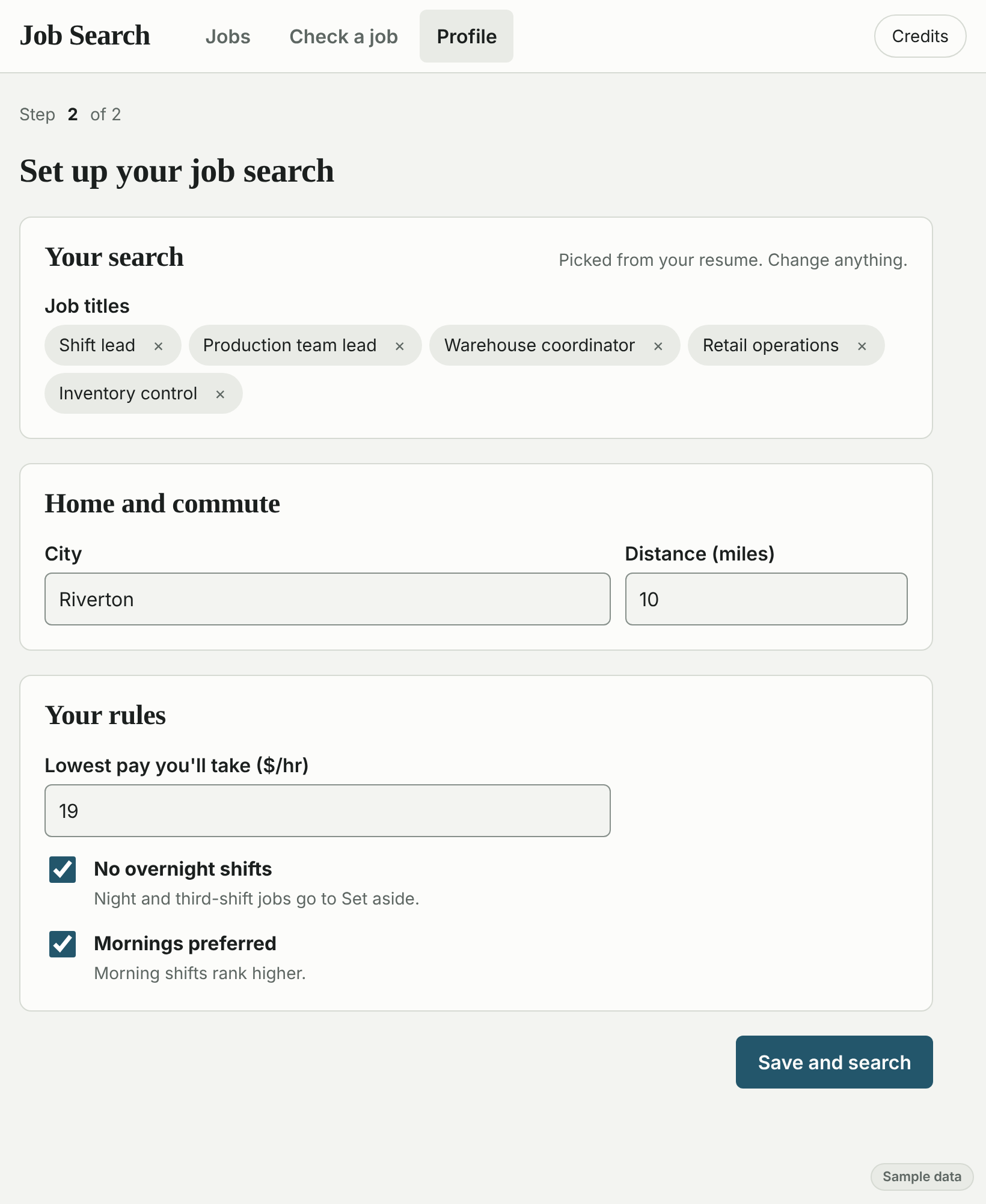
Paste your resume. It suggests job titles to search for, and you set your city, how far you'll travel, the lowest pay you'll take, and shifts you won't work.
You press "Find jobs now"
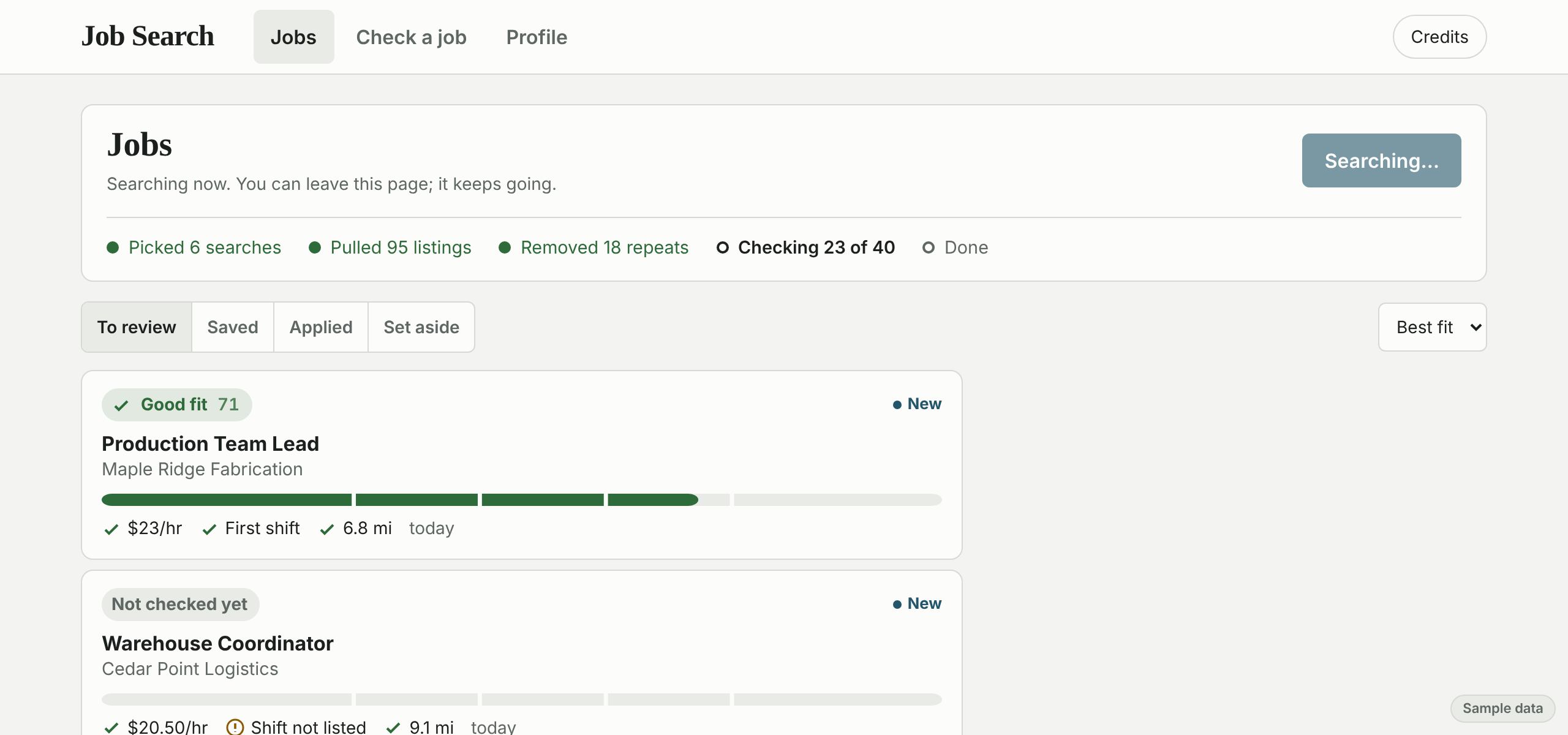
It searches two public job boards, then removes repeats. Nothing runs on a schedule; searches only happen when you ask, up to three a day.
Claude checks each listing
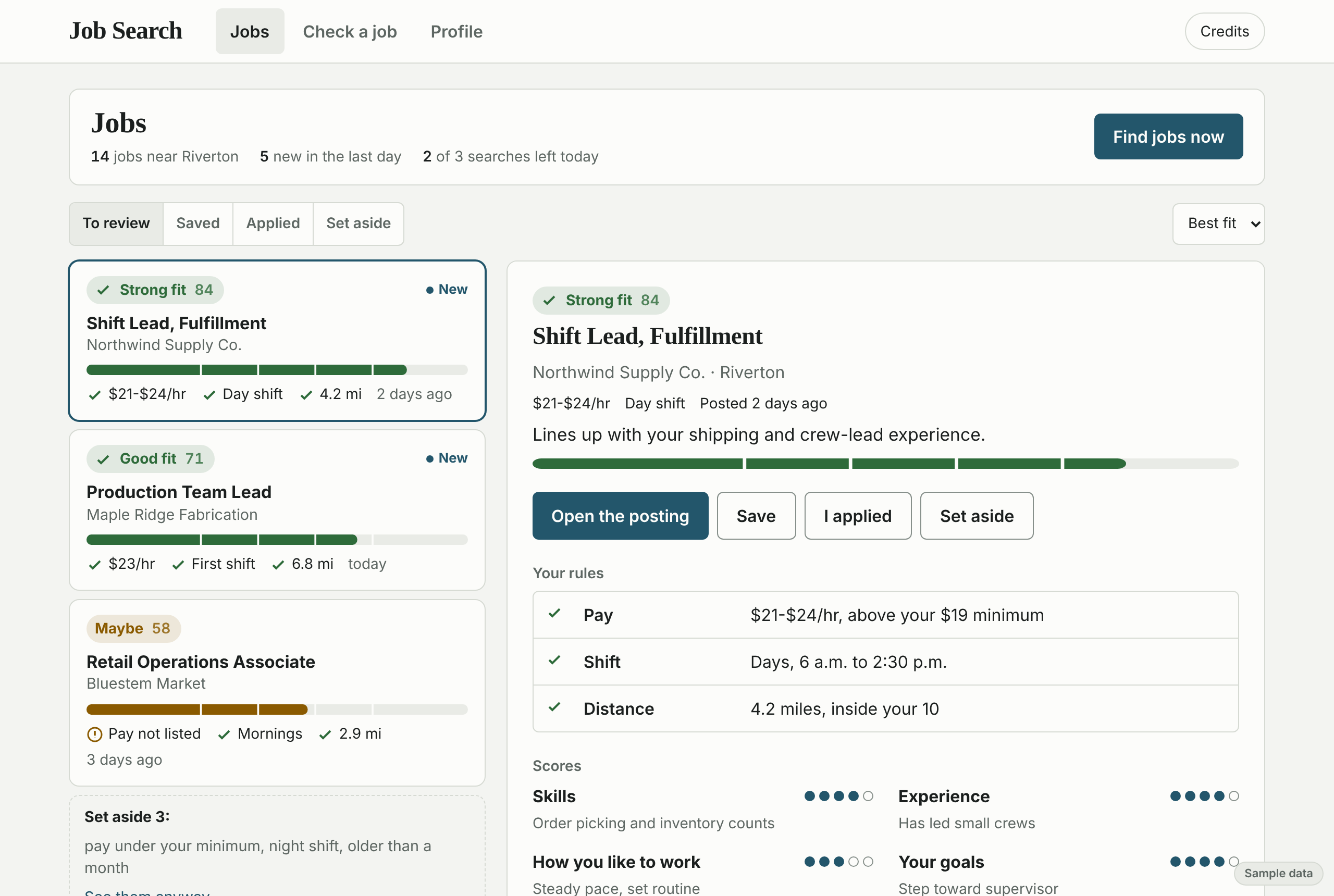
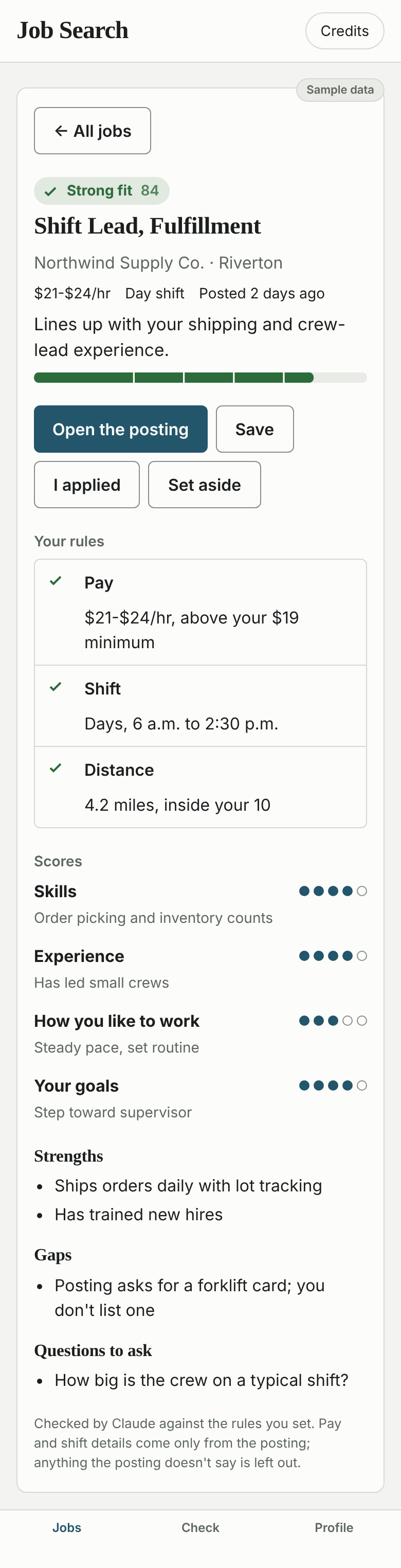
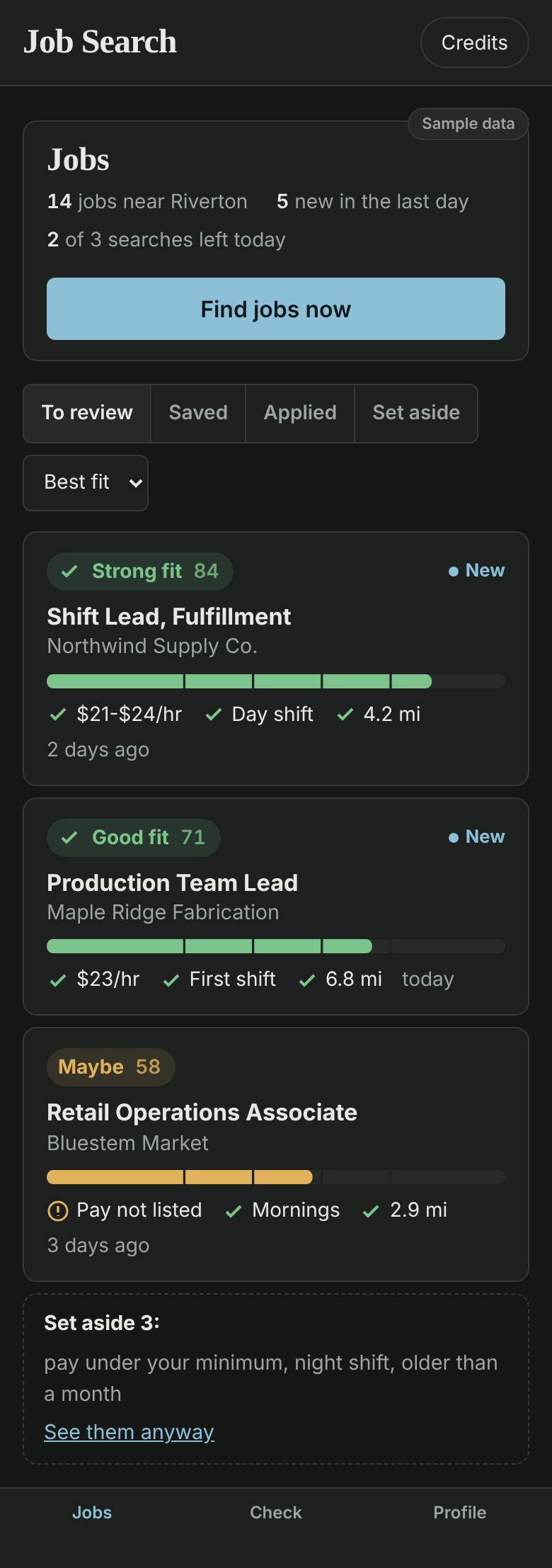
Every new listing gets a fit score, a one-line reason, and a check against your rules for pay, shift and distance.
You sort the results
Jobs land in tabs: To review, Saved, Applied and Set aside. Jobs that break a rule are set aside, not deleted, so you can still look at them.
How Claude helps
Reads the whole posting
Each listing is compared with your resume and your rules, not just matched on keywords.
Shows its reasons
You see strengths, gaps, questions to ask the employer, and four small scores, so you can check its work.
Sticks to the posting
A fact check drops any pay or shift detail that isn't actually in the posting. If the posting doesn't say, the job shows "not listed".
Keeps costs small
Listing checks use Claude Haiku, a fast, low-cost model, with a cap of 40 checked listings per search.
What it looks like
All screenshots use made-up sample data. The companies, city and profile below are not real.
Privacy
- Sign-in is a one-time code sent to an invited email address. The app has its own invite list, and anyone not on it is turned away.
- Your resume and profile are stored encrypted, separately for each person.
How it's built
- Runs on Cloudflare: a Worker for the app, a D1 database for storage, and Cloudflare Access for sign-in.
- Claude (Anthropic) checks listings. Listings come from two public job boards.
Coming later
- A tailored resume and cover letter for a job you pick.
The app lives on its own site, jobhelp.cc, with a public demo. Using the app itself needs an invitation.